
GTA 6 Download Size and 60fps: What Your PS5, Xbox and TV Need
By MyQuickTrippers Editorial Team · 27 Nov 2026
11 min read · Tech
GTA 6 is out, and the two questions every console owner asks before pressing download are the same: how much space does it need, and will it run at 60fps? Rockstar has answered both, and the answers are blunt. The game needs up to 212 GB of free storage — the biggest download in the series' history — and it runs at 30fps on every console, including the PS5 Pro. (On Xbox, the store lists a maximum install of about 225 GB, so clear that much there.) There is no 60fps mode, and Rockstar has now confirmed there never will be one. This guide has the confirmed storage number, what it means for each console, why 60fps is off the table, and the TV settings that make those 30 frames look their best.
Rockstar confirmed the size in a newswire post on 3 November 2026, ahead of the game's 19 November launch: "The pre-load file will require up to 212 GB depending on your device, so make sure you've got ample space to begin pre-loading as soon as possible." That wording matters. Rockstar has published no per-console size. The Xbox Store's backend data lists a maximum install size of 225,336,643,584 bytes — about 225 GB — so on Xbox, plan for 225 GB; the actual download may be smaller on your machine. An earlier leak had put the size at 210 GB; Rockstar's figure is 2 GB higher and comes with no breakdown, so nobody can yet say which console downloads how much.
GTA 5 runs to about 120 GB on modern consoles, so the new game is roughly three-quarters bigger again. The reason is the world itself: the state of Leonida, with Vice City at its centre, is the most detailed open world Rockstar has built, and the detail costs storage. Pre-loading opened on 10 November 2026, so anyone who pre-ordered could have the download done before launch day — in India, pre-loading began at midnight IST on PS5 and 5:30 a.m. IST on Xbox. There is no physical disc to fall back on: Rockstar skipped discs entirely, so even the boxed edition holds a download code and every copy comes through the internet.
212 GB fits on every current console — but on some of them it takes a serious bite out of the drive. Neither Sony nor Microsoft prints usable space on its product pages, so the figures below are reported from the consoles' own storage menus: the point is the proportion, and the proportion decides whether you need to delete games first.
- PS5 original (825 GB): about 667 GB usable (Digital Trends) — GTA 6 takes about 32%, leaving about 455 GB.
- PS5 Slim (1 TB): about 842 GB usable (Digital Trends) — GTA 6 takes about 25%, leaving about 630 GB.
- PS5 Pro (2 TB): Sony has not published a usable-space figure, saying only that a portion is reserved. At most, 212 GB is about 10.6% of the drive.
- Xbox Series X (1 TB): about 802 GB usable (IGN via GamesIndustry.biz) — GTA 6 takes about 26%, leaving about 590 GB.
- Xbox Series S (512 GB): about 364 GB usable (Kotaku) — GTA 6 takes about 58%, leaving about 152 GB for everything else.
The practical rule is to keep more than 212 GB free on PS5 and 225 GB on Xbox. Rockstar's number is the space the pre-load file needs; patches and save data need room on top. Two pre-launch updates landed before release — 01.002.000, about 1.07 GB on PS5 on 13 November, and the day-one patch 01.002.001, about 602.5 MB on PS5 on 16 November — and more patches will follow; our GTA 6 first-update guide tracks what each one fixes. Clearing about 250 GB before you start is the sensible target.
GTA 6 runs at 30fps on every launch console — PS5, PS5 Pro, Xbox Series X and Xbox Series S — and there is no performance mode, no quality mode and no 40fps mode in the settings. Rockstar has now confirmed to Kotaku that a 60fps mode (or even a 40fps one) will not be coming to any launch console, including the PS5 Pro, in a future patch.
The reason is the processor, not the graphics chip. Rockstar's technology production director, Marc Chambers, told Kotaku that the PS5 Pro's central processor is only slightly faster than the base console's and "is not powerful enough to run the game's complex simulation at higher frame rates." The simulation is the whole of Leonida running at once — character behaviour, traffic systems, and the activity unfolding across the map. At 30fps a console has 33.3 milliseconds to do all of that work and render a frame; at 60fps it would have 16.7 milliseconds, half the time, for the same world. Turning off effects would not fix it: the bottleneck is the CPU, not the GPU.
Digital Foundry's testing backs up the picture. Both of Sony's consoles render at 1440p. The PS5 Pro upscales that with PSSR — PlayStation Spectral Super Resolution — to something close to a clean 4K image, while the base PS5 looks noticeably softer. On frame rate, the Pro holds a locked 30fps with what Digital Foundry calls perfect frame pacing, while the base PS5 mostly holds 30fps but can dip into the mid-20s during longer, explosion-heavy sequences. On Xbox, the Series X performs roughly on par with the base PS5 but masks brief frame-rate drops better, because Microsoft's consoles can output the game in a 120 Hz container with system-level VRR support. That does not turn 30fps into 120fps or generate extra frames — it smooths the dips.
If you bought a Pro expecting 60fps, the news is bad. If you bought it for image quality, the news is good. The Pro's upgraded GPU and upscaling add ray-traced shadows and sharper image clarity to the base game's ray-traced reflections and lighting. In practice that means a cleaner, more stable picture at the same 30fps — the game looks better, it does not move faster.
One more thing to check before you play: the settings menu has no graphics modes at all. Checks of the PS5 menu found twelve items in the display section — brightness calibration, safe zone, effect intensity, motion blur and the rest — and none of them changes the frame rate or the resolution mode.
With the game locked at 30fps, the TV's job is to show those 30 frames cleanly. Four settings matter.
- Game Mode on. Every modern TV has one, usually under picture settings, and it cuts input lag by switching off the TV's own processing. This is the single most important setting for any game, and it matters more at 30fps, where every millisecond of delay is easier to feel.
- Motion smoothing off. The processing that makes films look like video also adds lag and makes a 30fps game look wrong. Turn off motion interpolation, TruMotion, MotionFlow or whatever your brand calls it. A little motion blur inside the game itself is different: at 30fps it makes camera turns look smoother, and the game's default motion blur strength of 3 is a reasonable starting point.
- VRR: useful on Xbox, useless for this game on PS5. Xbox's system-level VRR smooths GTA 6's frame-rate dips; on PS5, VRR only engages above 48fps, so a 30fps game never triggers it.
- HDMI port and HDR: use the TV's HDMI 2.1 port if it has one, mainly so the Xbox's 120 Hz container works. For HDR, run the console's calibration once and leave it — a miscalibrated HDR setting washes out the neon of Vice City faster than any frame-rate setting will.
Start by checking what you actually have. On PS5, go to Settings, then Storage; on Xbox, check Settings, then System, then Storage. Then work through the list in this order, because the first two are free and the last two cost money.
- Delete games you are not playing. Start with the biggest files — a single Call of Duty or sports title can free more than GTA 6 needs.
- Move PS4 games to a USB drive. PS4 games can run from an external USB drive, so move them off the internal SSD instead of deleting them. PS5 games cannot run from USB — they can only be stored there and copied back.
- Add an M.2 SSD to a PS5. A compatible Gen4 NVMe drive in the expansion slot plays PS5 games at full speed, and it is the cheapest way to add a terabyte. Check Sony's compatibility list before buying.
- Add a Storage Expansion Card to an Xbox. On Xbox, only the official Storage Expansion Card runs Series X|S games at full speed; a USB drive can only store them. The Series S, with 152 GB left after GTA 6, is the console that most needs one.
On a 100 Mbps connection, 212 GB takes about 4 hours 43 minutes at best — and most connections do not sustain their headline speed for four hours. Start the download in the evening and let the console finish overnight: on PS5, turn on Stay Connected to the Internet in the rest-mode power settings, so the download continues while the console sleeps. On Xbox, downloads continue in sleep mode by default unless the console is set to full shutdown (energy-saving) mode, in which case nothing downloads while it is off. A wired ethernet connection beats Wi-Fi for a download this size.
How many GB is GTA 6?
Up to 212 GB, confirmed by Rockstar on 3 November 2026 — but the Xbox Store lists a maximum install of about 225 GB, so clear 225 GB on Xbox. Rockstar has published no per-console breakdown. The game launched on 19 November 2026 for PS5, PS5 Pro and Xbox Series X|S.
Will GTA 6 ever get a 60fps mode on PS5 Pro?
No. Rockstar has confirmed to Kotaku that no 40fps or 60fps mode is coming to any launch console, including the PS5 Pro — the limit is the CPU running the game's world simulation. A PC version, which Rockstar has not announced, would be the only route to higher frame rates.
Will GTA 6 fit on the Xbox Series S?
Yes, but it is tight. The 512 GB Series S has about 364 GB of usable space, so 212 GB takes about 58% of it and leaves about 152 GB for everything else. Plan on deleting games or adding a Storage Expansion Card.
Can I play GTA 6 from an external USB drive?
No. On PS5, PS5 games cannot run from a USB drive — they can only be stored there. On Xbox, Series X|S games need the internal SSD or an official Storage Expansion Card. Only PS4 games (on PS5) can run from USB.
What TV settings matter most for GTA 6?
Game Mode on, motion smoothing off, and HDR calibrated once. VRR helps smooth dips on Xbox but does nothing for a 30fps game on PS5, because PS5's VRR only works above 48fps.
- Rockstar Games Newswire (3 November 2026) via Insider Gaming — How Many GB is GTA 6?
- GameSpot — GTA 6 File Size Revealed, And It's Truly Massive
- Engadget — Rockstar just settled a major question about GTA 6's controversial FPS decision
- ComicBook.com — Rockstar Confirms GTA 6 Will Never Get a 60fps Mode on PS5 and Xbox Series X/S
- Mezha — GTA 6 Won't Get 40 or 60 FPS Modes Even on PS5 Pro
- GameNerd — GTA 6 File Size: Will It Fit + Best SSD for PS5 and Xbox
- Times of India — GTA 6 release tonight: Price, release time in India, and how to prepare your PS5 or Xbox Series X|S consoles
- Gadgets Now — GTA 6 Pre-Load Goes Live in India
- RockstarSpy — GTA 6 Patch Notes: Every Update Since Launch
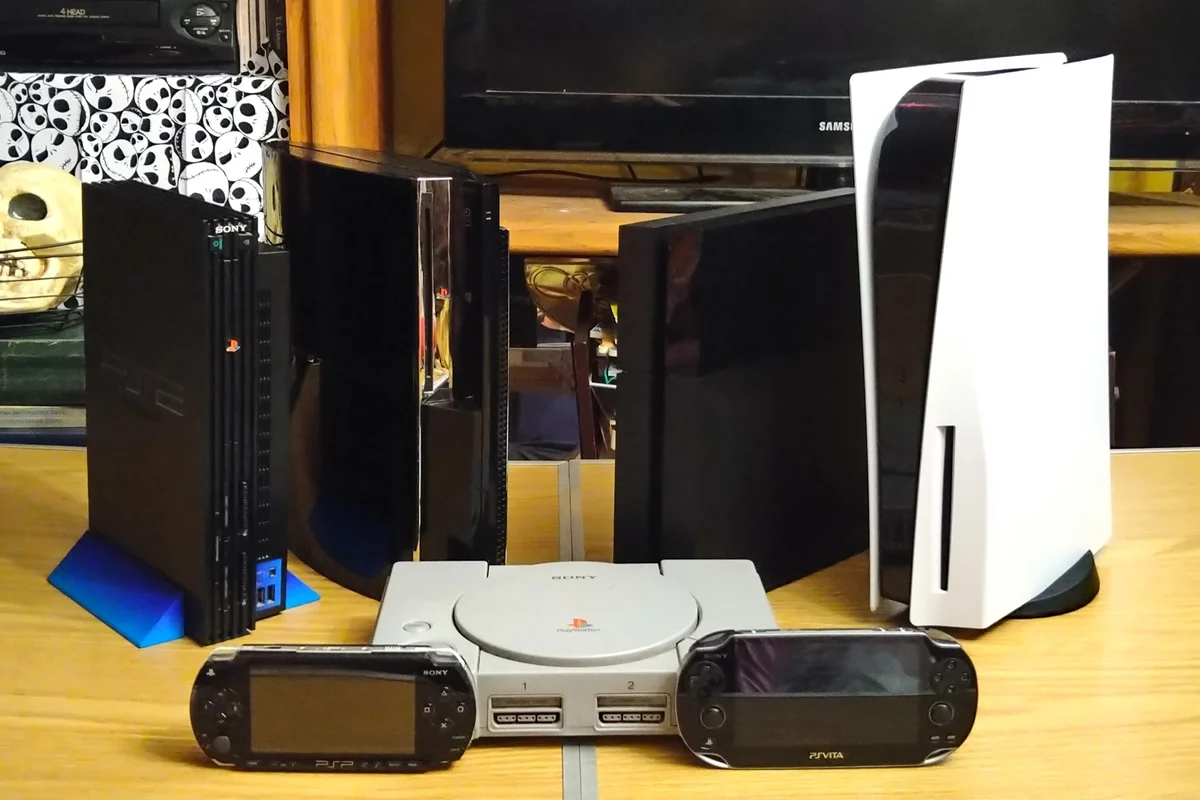
Hero photo: PlayStation consoles including the PS5 (right) — JDC808, CC BY-SA 4.0 (via Wikimedia Commons). The photograph shows the console hardware, not the game. Updated 27 November 2026.
Share this article