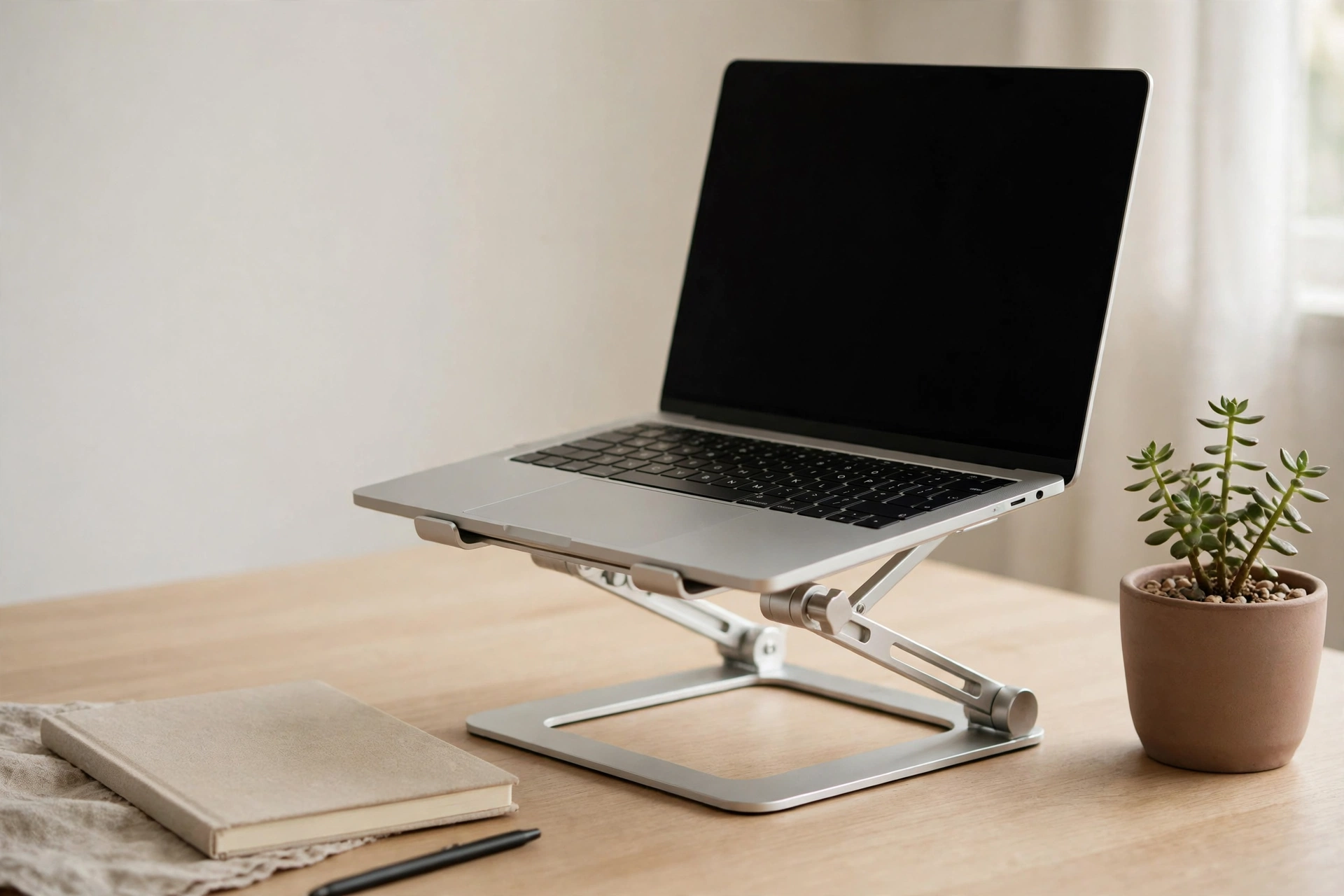
Adjustable Aluminium Laptop Stand India Review: Fix Your Neck?
By My Quick Trippers · 21 Oct 2026
7 min read · Travel Gear
Recommended gear
Adjustable Aluminium Laptop Stand — Worth It?
Adjustable aluminium laptop stand
Check height range and weight limit
As an Amazon Associate, we earn from qualifying purchases. We may earn a commission if you buy through these links, at no extra cost to you.
Honest verdict
for students, remote workers, and anyone who uses a laptop for more than two hours a day, an adjustable stand is a high-value buy, and work-from-home desk-upgrade coverage in 2026 framed the problem bluntly: your neck has been suffering.
Check Price on AmazonAn adjustable aluminium laptop stand lifts your screen to eye level, and that single change fixes the neck ache, shoulder tension, and hunched posture that come from staring down at a laptop for hours. At a price band of around ₹1,500, a generic aluminium stand costs less than a month of pain relief gels, and it is the cheapest real ergonomic upgrade for anyone who works from a laptop. Treat the price band of around ₹1,500 as approximate — sale prices and seller changes move it either way. My verdict: for students, remote workers, and anyone who uses a laptop for more than two hours a day, an adjustable stand is a high-value buy, and work-from-home desk-upgrade coverage in 2026 framed the problem bluntly: your neck has been suffering. For occasional laptop users, or for people who already use an external monitor at the right height, it is less essential. If you are building out the whole desk, our wall-mounted phone holder review covers the phone side of the same setup.
Your neck has been suffering — the ergonomics case
A laptop on a desk puts the screen far below eye level, which means you bend your neck forward all day, and that forward bend loads the neck muscles far more than an upright posture. Over hours, that load becomes the ache between the shoulder blades, the stiff neck in the evening, and the headaches that people blame on screens but that often come from posture. Raising the screen to eye level straightens the neck, opens the chest, and lets you sit back instead of hunching, and the difference is noticeable within days, not weeks. The catch is the keyboard: raising the laptop raises its keyboard too, which is why a stand works best with an external keyboard and mouse, or at least with the understanding that you will type at a slight angle. Even without an external keyboard, a stand improves the screen position enough to help, and for most laptop workers that trade is worth it.
What adjustability actually means
Adjustability means the stand changes height and angle, not just that it holds the laptop at one fixed height, and that matters because the right height depends on your chair, your desk, and your own height. A good adjustable stand offers several height levels, usually six or seven, so you can raise the screen to eye level whether you sit on a dining chair or an office chair. Angle matters too: a slight tilt improves the viewing angle and the keyboard angle, and a stand that tilts lets you find the position that feels natural rather than forcing one fixed pose. Some stands also fold flat, which matters for portability, and some adjust with a single hand, which matters for people who move between desks. Check the adjustment mechanism before you buy, because a stand that needs two hands and a screwdriver to adjust will stay at one height forever, which defeats the purpose.
Pros
What it does well
The first win is the price band of around ₹1,500, which makes a real ergonomic upgrade cheaper than most desk accessories. The second win is posture: a screen at eye level reduces neck strain measurably for most users, and the improvement compounds over weeks of daily use. The third win is cooling, because a stand lifts the laptop off the desk and lets air flow underneath, which keeps the machine cooler and quieter during heavy work, and a cooler laptop throttles less and lasts longer. The fourth win is desk space: a stand creates usable space underneath for a notebook, a phone, or an external drive, which matters on small desks. For students and remote workers, a stand is also one of the few desk upgrades that helps from the first day, without a learning curve.
Aluminium versus plastic — why the material matters
Aluminium stands are heavier, sturdier, and better at dissipating heat than plastic stands, which is why they cost more and last longer. A plastic stand at half the price can work, but it flexes under a heavy laptop, it wobbles when you type, and it can crack at the hinge, which is the worst failure for a stand. Aluminium stands hold their position, they do not flex under typing pressure, and their weight keeps them stable on the desk, though that same weight makes them less portable. For a laptop that stays on one desk, aluminium is the clear choice, and the around ₹1,500 band buys a solid generic aluminium stand rather than a premium branded one, which is the right trade for most buyers. Premium branded stands cost substantially more for similar function, and the extra money buys design and brand, not a different neck position.
Cons
Where it falls short — the honest cons
The honest cons start with the keyboard problem: raising the laptop raises its keyboard, so typing on the laptop itself becomes less comfortable, and the full ergonomic benefit needs an external keyboard, which is an extra purchase. The second con is portability: aluminium stands are heavier than plastic ones, and even folding stands add weight to a bag, so a stand that lives on a desk is a better buy than a stand you carry daily. The third con is compatibility: very large or very heavy laptops can exceed a budget stand's weight limit, and very small laptops can slide on a stand designed for larger machines, so check the size and weight range before buying. The fourth con is the wobble test: cheap hinges loosen over time, and a stand that wobbles when you type is worse than no stand, so test the hinge on arrival and use the return window if it fails.
Setting the right height — the two-minute guide
Sit in your normal chair, at your normal desk, and raise the stand until the top third of your screen is at eye level, which is the standard ergonomic target. Your eyes should look slightly downward at the centre of the screen, not up and not sharply down, and your neck should feel neutral, not bent forward or craned back. If you use an external keyboard, place it at elbow height with your forearms level, and keep the mouse at the same height, because a raised screen with a desk-level keyboard is the correct pairing. If you type on the laptop keyboard, accept a compromise: raise the screen as high as comfortable typing allows, and take breaks to stretch, because a perfect screen with an impossible keyboard is not a win. Recheck the height when you change chairs or desks, because the right height follows your seating, not the stand's markings.
Buying checklist before you order
Check five things before you pay. One, the height range against your chair and desk, because a stand that cannot reach eye level is useless. Two, the weight limit and size range against your laptop, because an overloaded stand wobbles. Three, the hinge quality and whether height changes are easy, because a stand you cannot adjust stays at one height. Four, the portability against your real use, because a desk stand and a travel stand are different products. Five, whether you have or will buy an external keyboard, because that decides how much of the ergonomic benefit you actually get. If all five check out, an adjustable aluminium laptop stand at a price band of around ₹1,500 is a sensible, low-regret purchase that pays for itself in comfort within weeks. If you already work at an external monitor set at eye level, spend the money elsewhere.
Share this article